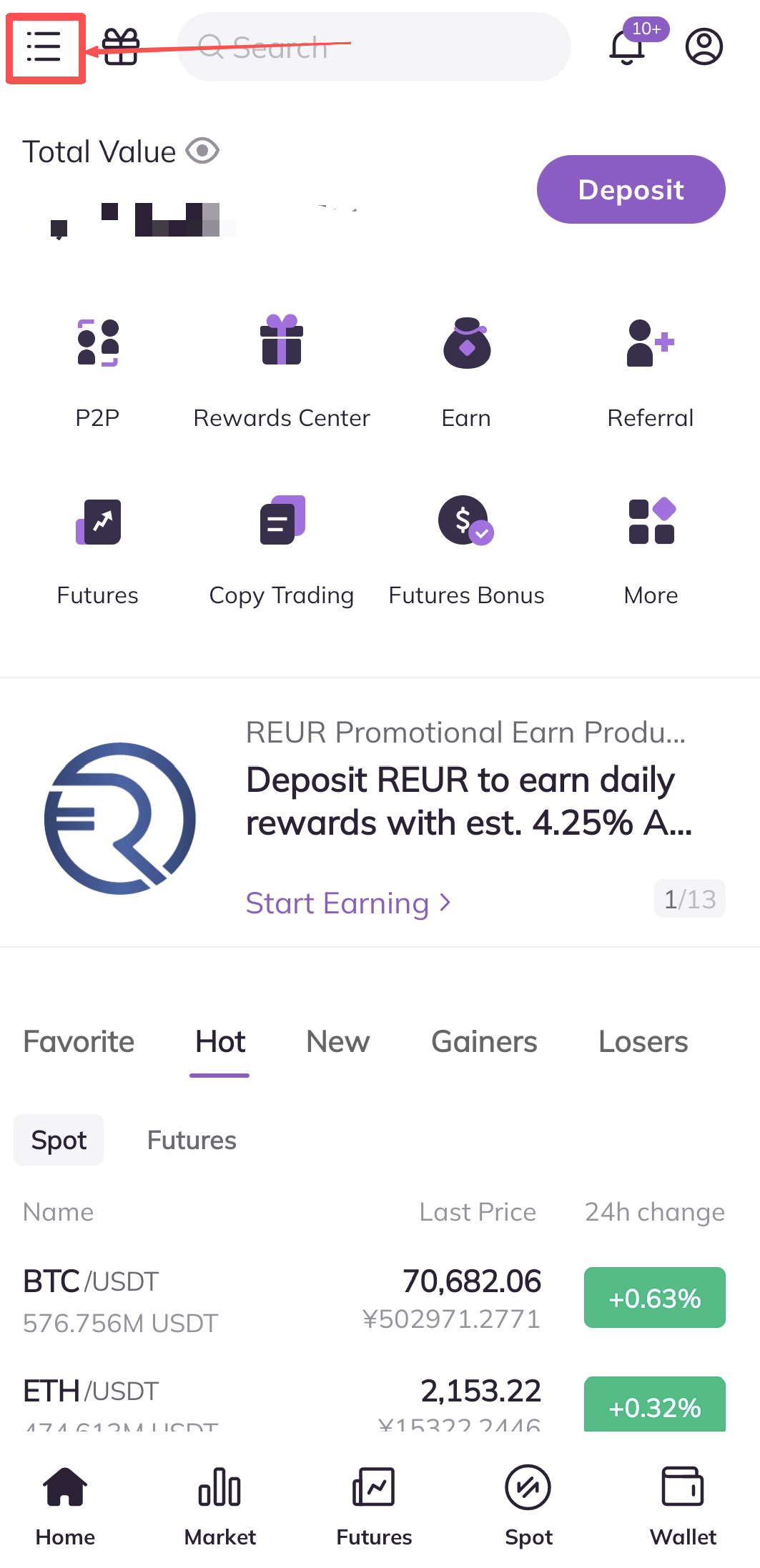
1. Open the AscendEX App and click on the menu bar in the upper left corner of the homepage.
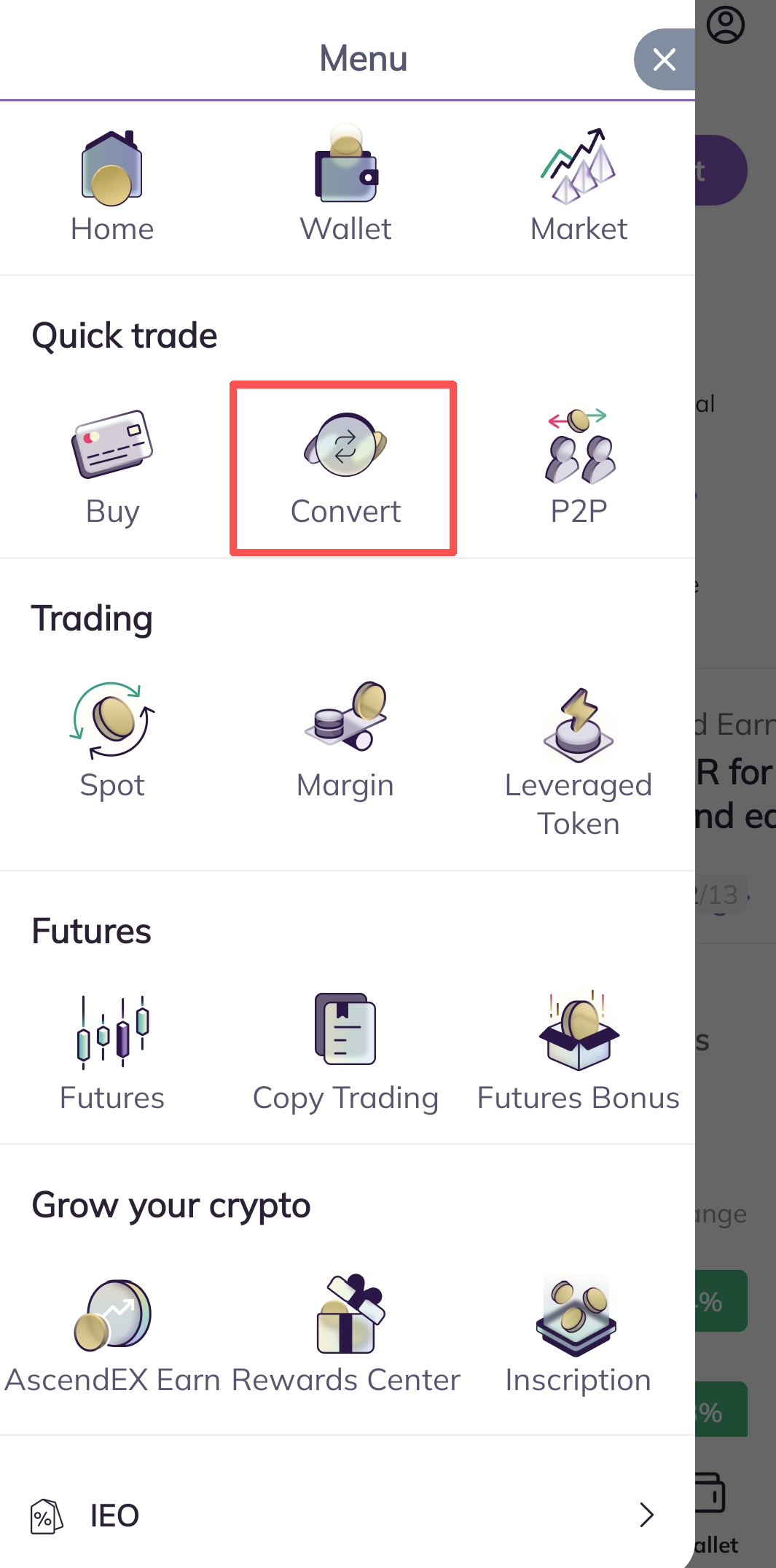
2. Click on the “Convert” button of the Menu page.
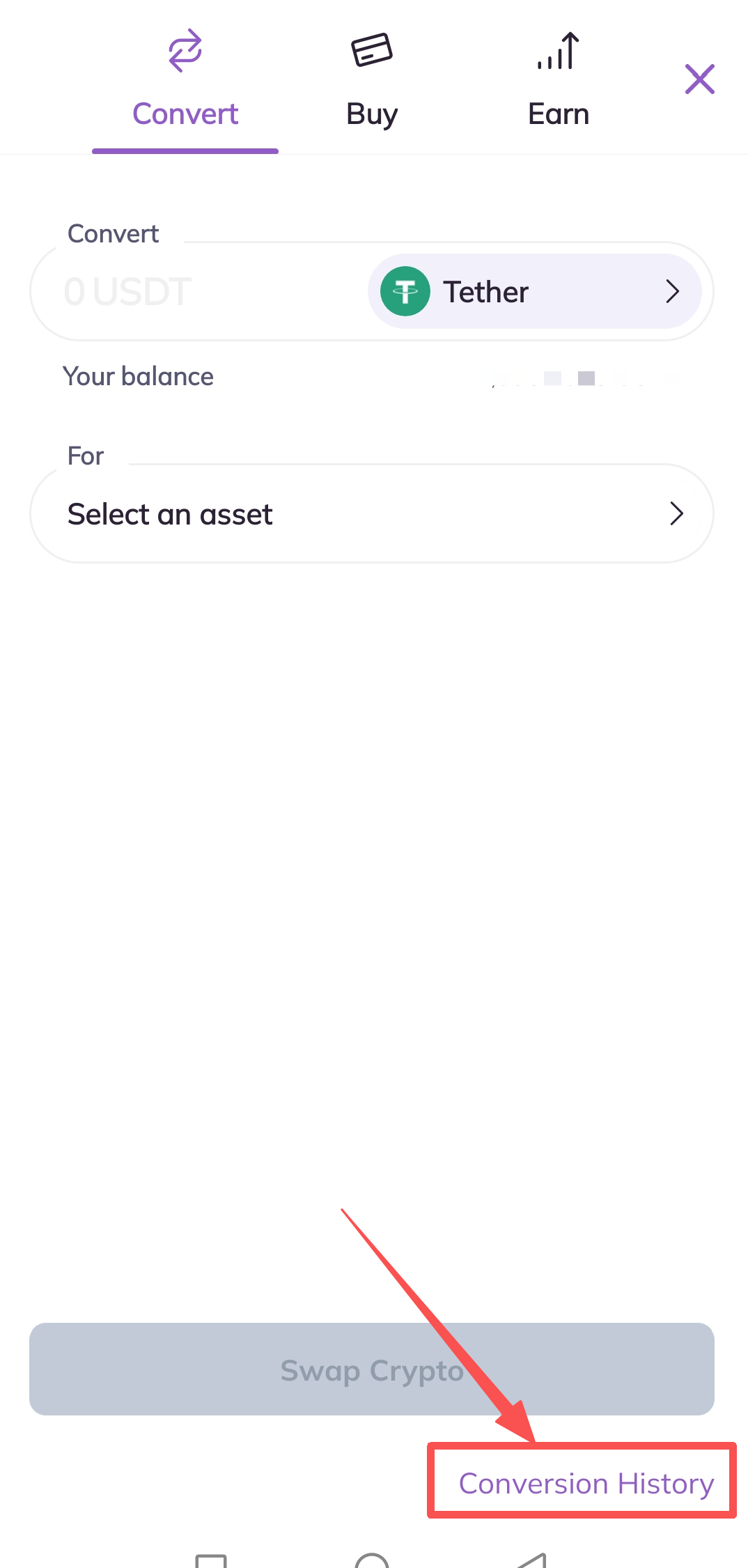
3. Click the “Conversion History” button in the bottom right corner of the Convert page
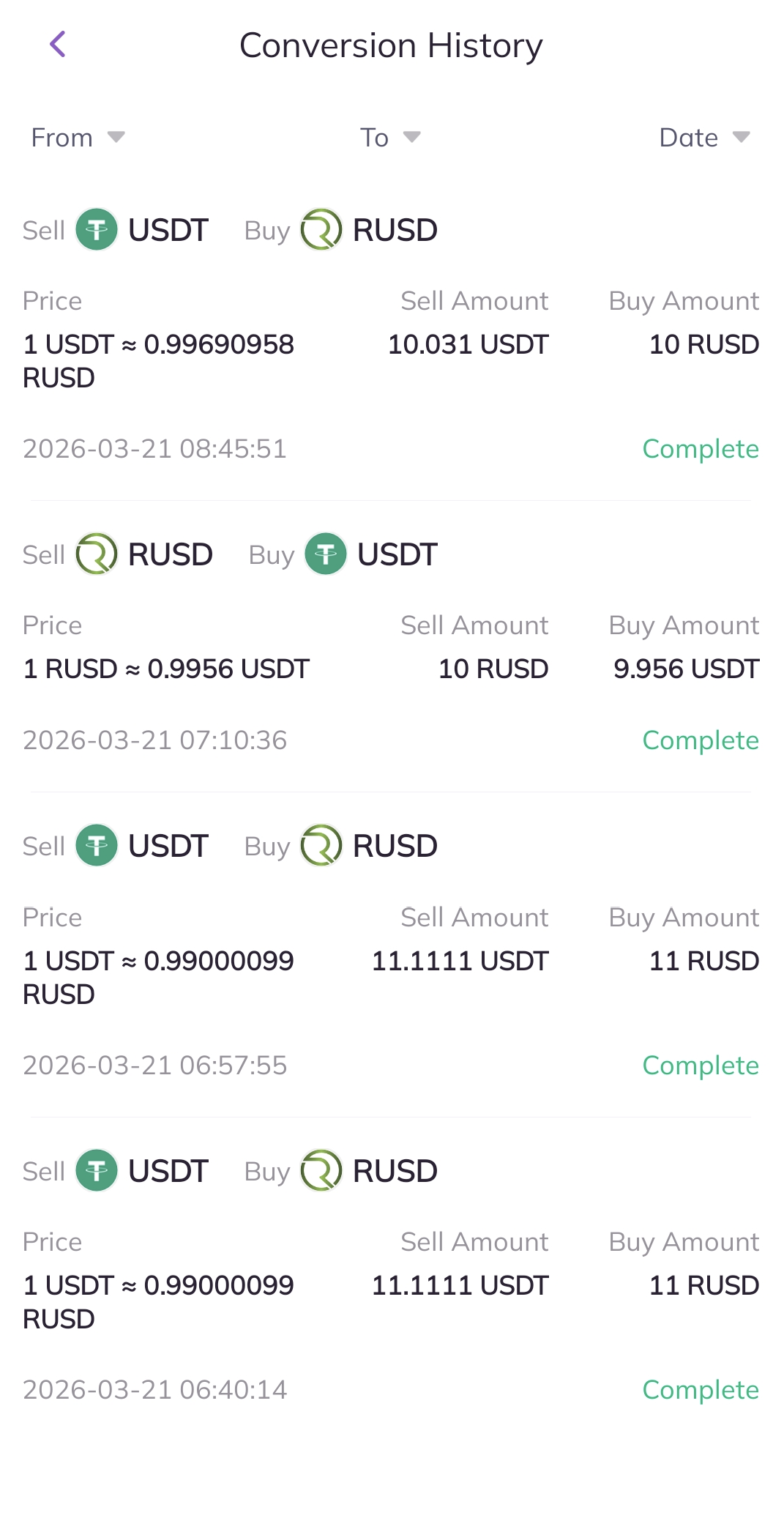
4. On the “Conversion History” page, you can check your conversion record. You can also user filters to check the conversion history of a specific token and whether they were bought or sold.